3CX SIP Trunk - Registration Settings
Use the following settings for registering/configuring a 3cx SIP Trunk:
General Tab
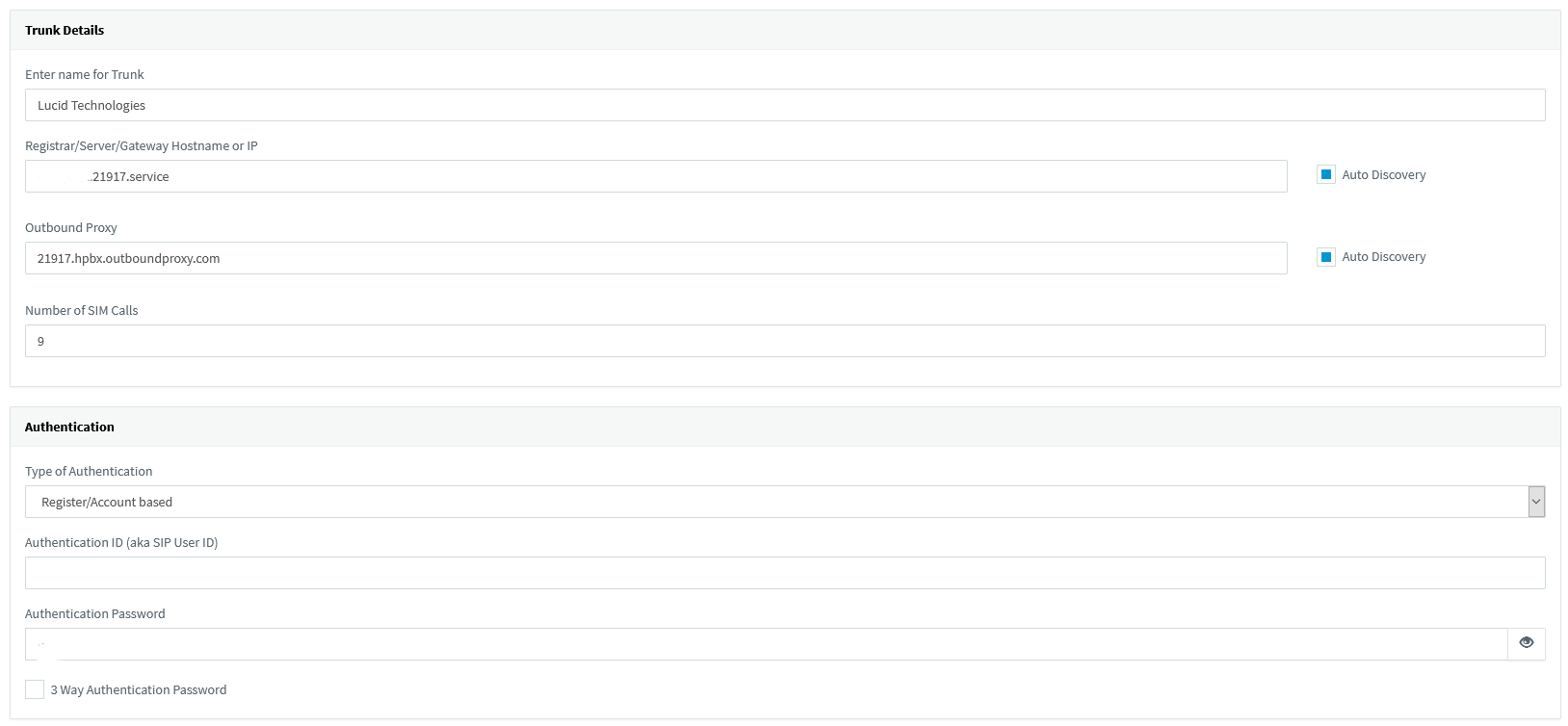
Trunk Details
- Name: Lucid Technologies
- Registrar/Server/Gateway Hostname or IP: {Your Service Domain}.21917.service
- Port: 5060
- Outbound Proxy: 21917.hpbx.outboundproxy.com
- Port: 5060
- Number of SIM Calls: {Enter The Number Of Simultaneous Calls}
Authentication
- Type of Authentication: Register/Account based
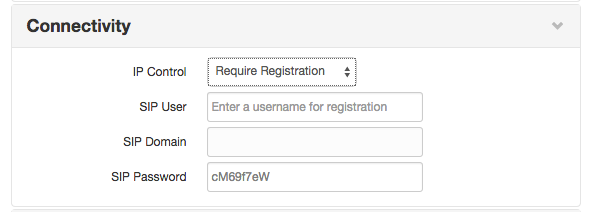
- Authentication ID (aka SIP User ID): SIP User
- Authentication Password: SIP Password
Note: Authentication ID and Password will be provided by Lucid Technologies
3 Way Authentication: Uncheck
Route calls to:
- Main Trunk No: Caller ID/DID assigned (e.g. 9009991234)
- Destination for calls during office hours: Extension (then choose extension from drop-down menu)
- Destination for calls outside office hours: Extension (then choose extension from drop-down menu)
DID Tab
- Numbers must be listed in 10 digit format. Do not include the 1
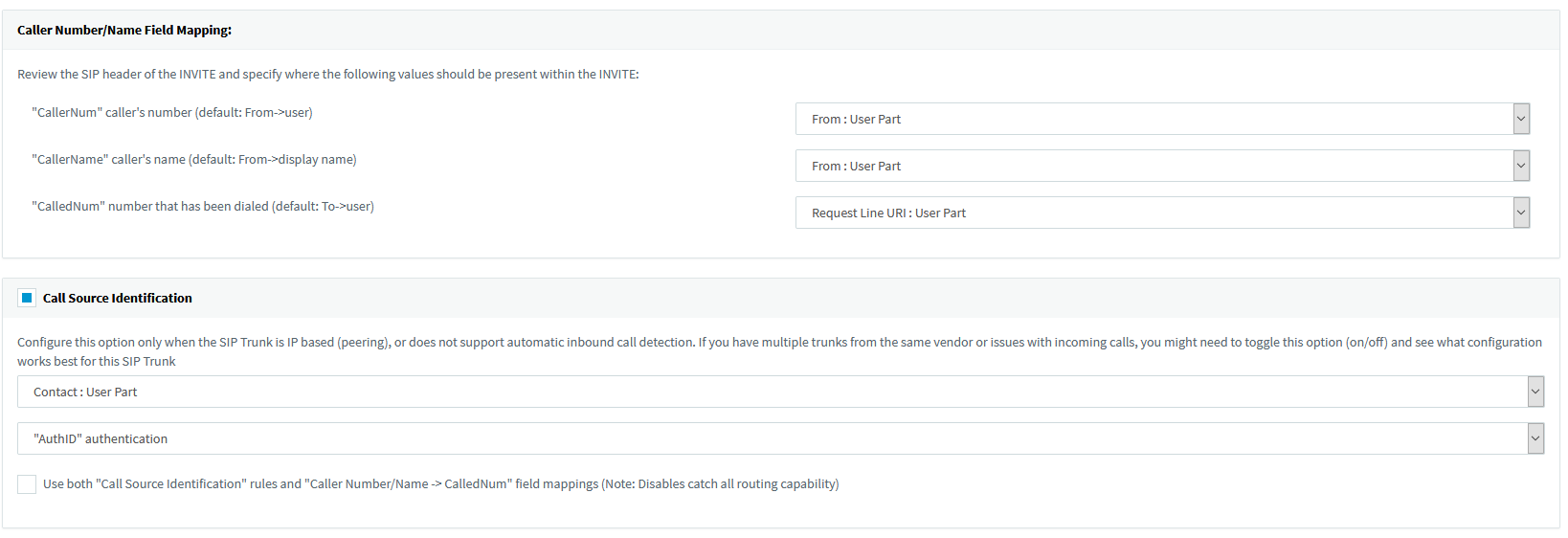
Note: The 3CX's template for our platform uses "From User" under Caller Name. This is to avoid an issue where calls to the PBX without a Display Name will show the Display Name as blanks on the phone. Otherwise, selecting "From: Display Name" will force the PBX to use the CID Name on the Display Name of the phones. Please use the setting that is appropriate for your setup.
Was this article helpful?
That’s Great!
Thank you for your feedback
Sorry! We couldn't be helpful
Thank you for your feedback
Feedback sent
We appreciate your effort and will try to fix the article